Dhaka ·
  Thimphu ·
  Vancouver · Since 2012
A small business expense tracker in Bhutan can change how an owner understands their own business. Across Thimphu, Paro, Punakha, Bumthang and Phuentsholing, much of the economy runs through small enterprises: general shops, cafés and bakeries, homestays and farmstays, tailoring and handicraft workshops, tour support services and small professional firms. Many keep a cash book, a few bank slips and a rough sense of how the month went.
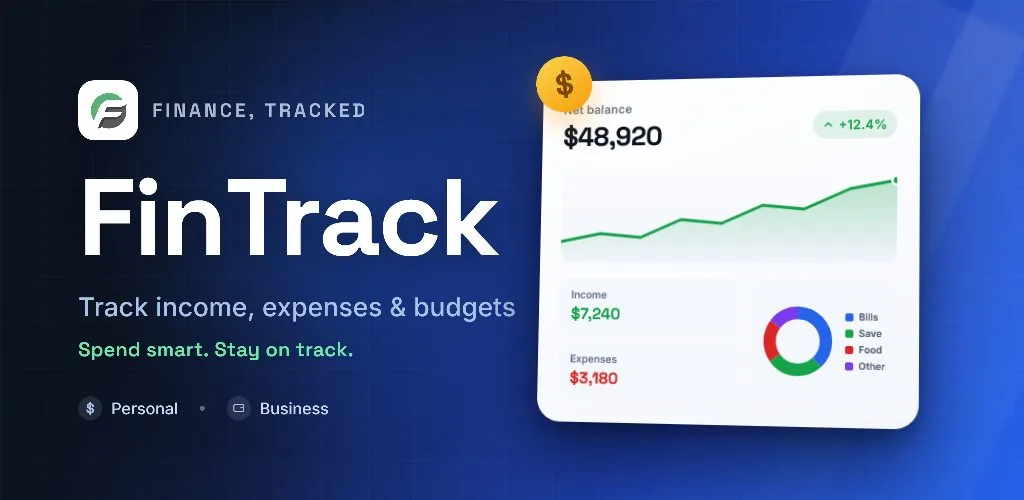
That is often enough to stay open, but not enough to know whether the business is truly making money or where costs are rising. This guide sets out a simple routine for tracking income and expenses in Ngultrum, and shows how FinTrack, the finance tracker built by FLEX InfoTech, supports each step for owners and their teams.
Why small businesses in Bhutan lose sight of their costs
Small business money in Bhutan moves through several channels at once. Customers pay in cash at the counter, some transfer through mobile banking, and suppliers are paid from a mix of the cash drawer and the bank account. A homestay may receive an advance from a tour operator, then spend on groceries, firewood and cleaning supplies over the following days.
When these movements are not recorded in one place, a busy season can feel profitable even when costs have quietly absorbed the margin. Seasonal businesses face a particular challenge: income arrives in peaks around tourist seasons and festivals, while rent, wages and utilities continue every month. Without a record, it is hard to plan for the quieter months.
What a small business expense tracker in Bhutan should do
You do not need a full accounting package to get control of your numbers. You need a tool that your team will actually use every day, and that turns daily entries into useful summaries.
- Record income, expenses, transfers, loans and investments in Nu
- Keep separate accounts for the cash drawer, bank account and cards
- Organise spending into categories that match your trade
- Let staff record transactions without seeing everything
- Compare actual spending against a monthly budget
- Produce account statements you can export at month end
Separate the business from the household
The most common problem in family businesses is a shared cash box. Stock, school fees and household groceries all come from the same drawer, so no report can show the true cost of running the shop.
The app supports separate personal and business workspaces. Inside a business workspace, create accounts for the shop's cash, its bank account and any business cards, and enter opening balances in Ngultrum. When the owner takes money home, record it as a transfer out of the business rather than letting it disappear. That single habit makes every later report more trustworthy.
Categories that fit shops, cafés and homestays
Generic categories hide useful detail. A café cares about ingredients, gas, packaging and staff meals. A homestay tracks food, laundry, firewood, repairs and guest transport. A general shop focuses on stock purchases, transport, rent and electricity.
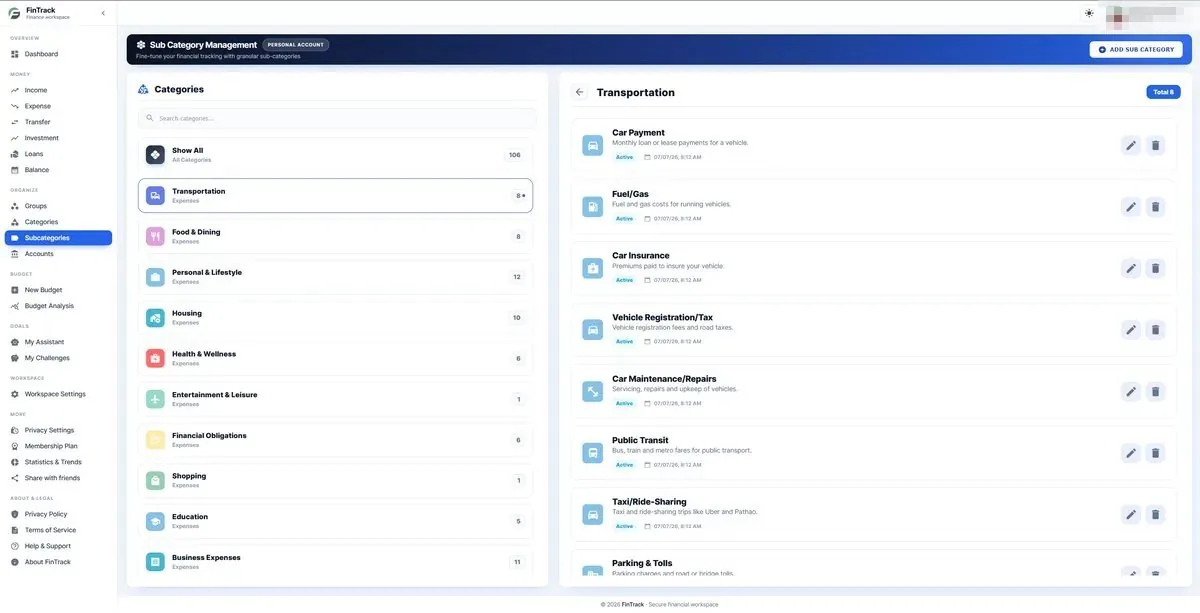
It organises money into groups, categories and subcategories, and provides a starter set you can adjust. Keep the top level short, with six to eight groups, and add subcategories only where the detail will help a decision. After the first month, review where money actually went and refine the structure.
Bring your team in with the right access
In many small businesses the owner is not the only person handling money. A manager buys stock, a staff member pays for deliveries, or a family member handles bank payments. If only the owner can record transactions, entries are delayed and forgotten.
Business workspaces let an admin invite members and assign roles, with custom roles and granular permissions. A cashier can record daily expenses without being able to change settings or view every report. The owner then reviews the full picture on the dashboard, filtered by today, seven days, the month, the year or a custom range.
Budgets, reminders and month-end statements
With reliable records, set a monthly budget for each category group and compare actual spending against it. Budget analysis lets you drill into a category to see which entries pushed it over. Bill and payment reminders help you remember rent, supplier payments and loan instalments before they fall due.
At the end of each month, the app calculates opening and closing balances for each account automatically. Account statements can be exported to PDF or Excel, which is useful when you sit down with an accountant, apply for a loan or simply want a paper copy for your records.
Getting started with FinTrack
FinTrack is available as an Android app and as a web app at app.fintrackhub.com, both connected to the same account. Staff can record a purchase on a phone at the counter, while the owner reviews dashboards and statements on a computer in the evening. Business plans are upgraded through a simple manual process in which you upload proof of payment and the FLEX InfoTech team approves the upgrade.
FLEX InfoTech has been building business software since 2012, with its head office in Dhaka and an office in Thimphu.
Frequently asked questions
Can I track my business in Ngultrum with FinTrack?
Yes. You set up your own accounts, such as the shop cash drawer and business bank account, with opening balances in Nu, and record every income and expense against them. Dashboards, budgets and statements then reflect the amounts you entered. The app records your transactions; it does not connect to your bank or move money on your behalf.
Is an expense tracker enough, or do I need accounting software?
For many small shops, cafés and homestays, a consistent expense tracker covers the daily need: knowing what came in, what went out and whether spending is within budget. Exported statements give your accountant clean figures to work from. Larger firms with more complex obligations may still need a full accounting system alongside it, so check with your accountant.
Can several staff members use the same business account?
Yes. A business workspace lets an admin invite team members and assign roles with specific permissions. Each person records the transactions they handle, so entries are made on the day rather than reconstructed later. The owner keeps control over settings and sensitive reports, and can review all activity from the dashboard.
Which devices does FinTrack work on?
FinTrack is available as an Android app and as a web app at app.fintrackhub.com. Both use the same account and data, so a transaction recorded on a phone in Paro appears on the web dashboard straight away. The web interface is available in English and Bangla, and the mobile app suits quick entries during the working day.