 Dhaka ·
  Thimphu ·
  Vancouver · Since 2012
+880 1896 005950info@flexinfosys.comWhatsAppSign In
Vancouver · Since 2012
+880 1896 005950info@flexinfosys.comWhatsAppSign In

Restaurant and café POS software with kitchen, purchasing, inventory and accounts
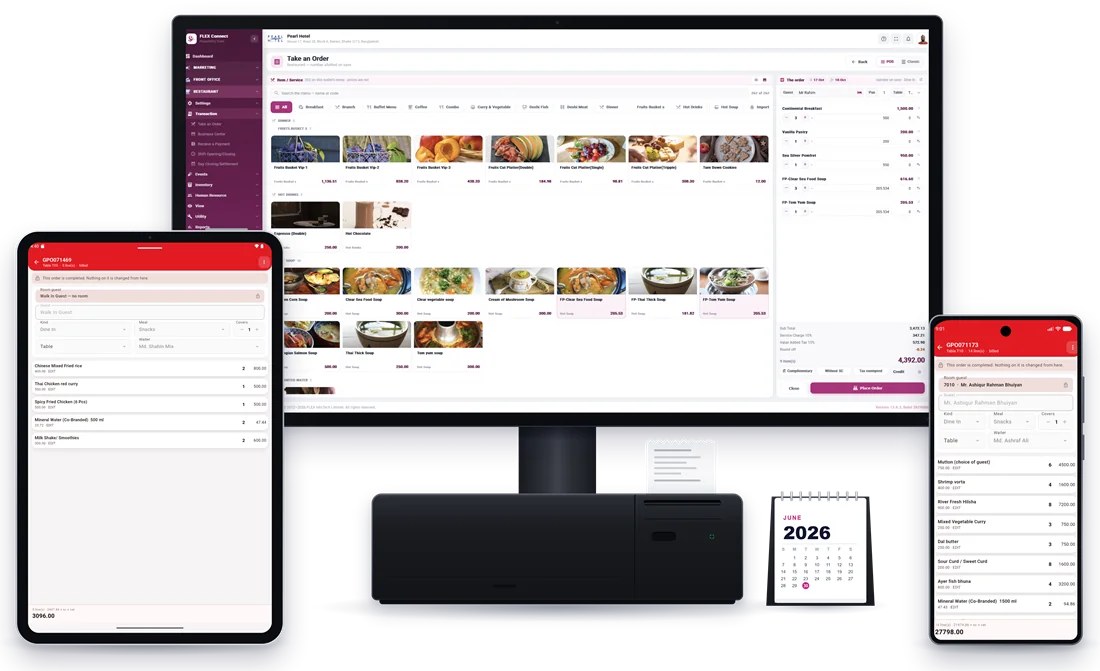
FLEX POS brings five modules together for restaurants, cafés and bars: Point of Sale, Procurement, Store & Inventory, Food Production and Accounts. Take orders by table and print kitchen tickets, buy from suppliers on approved purchase orders, control store and kitchen stock, and keep the books in the same system.
- Access
- Web browser + Android & iOS apps (kitchen screens in the browser)
- Included modules
- Point of Sale + Procurement + Store & Inventory + Food Production + Accounts
- Technology
- Cloud · .NET 9 · Angular · Flutter
- Support
- 24/7 from Dhaka & Thimphu
Restaurant management software, module by module
Point of Sale
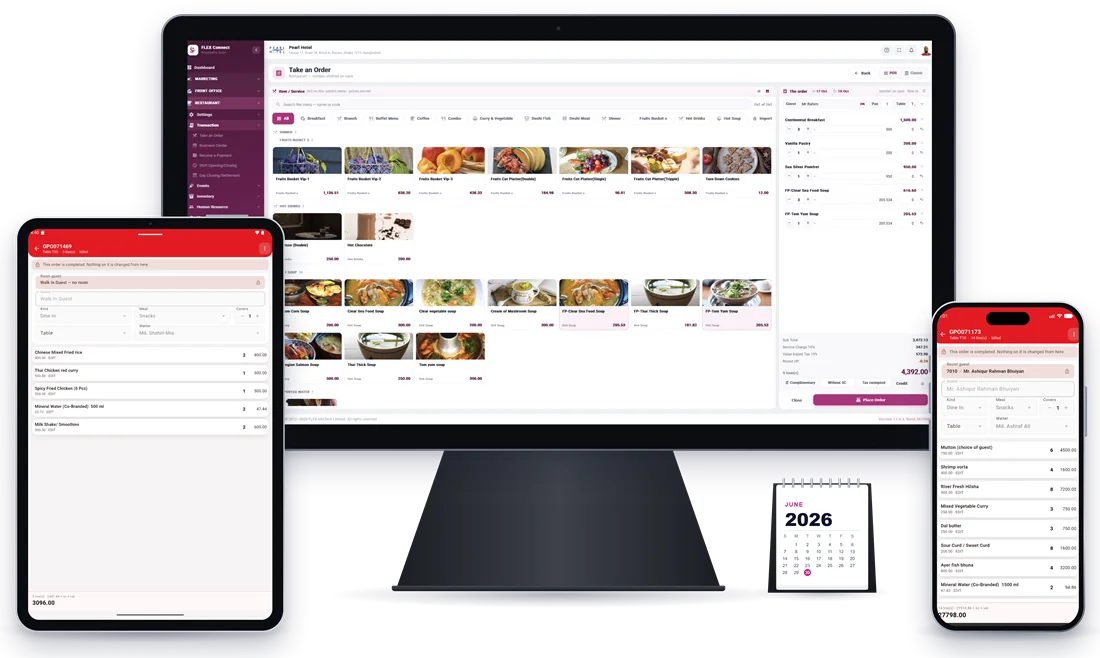
Waiters take orders by table and the kitchen order ticket prints from the same order. Bills are settled at the counter, every cashier shift is opened and closed, and the day closes with a settlement. A café, lounge or bar can run as its own outlet with its own menu, suppliers and cashier shift, in the browser or on the mobile app (Android & iOS).
- Table setup and take orders by table
- Kitchen order ticket (KOT) and order printing
- Make bills and receive payments at the outlet
- Separate outlets for café, lounge or bar
- Menu items by group, category and unit
- Book a table and book events
- Shift opening/closing and day closing settlement
- Sales, orders and statistics reports
Why it matters: Every order and payment is recorded against stock and revenue, with no separate POS to reconcile.
Procurement
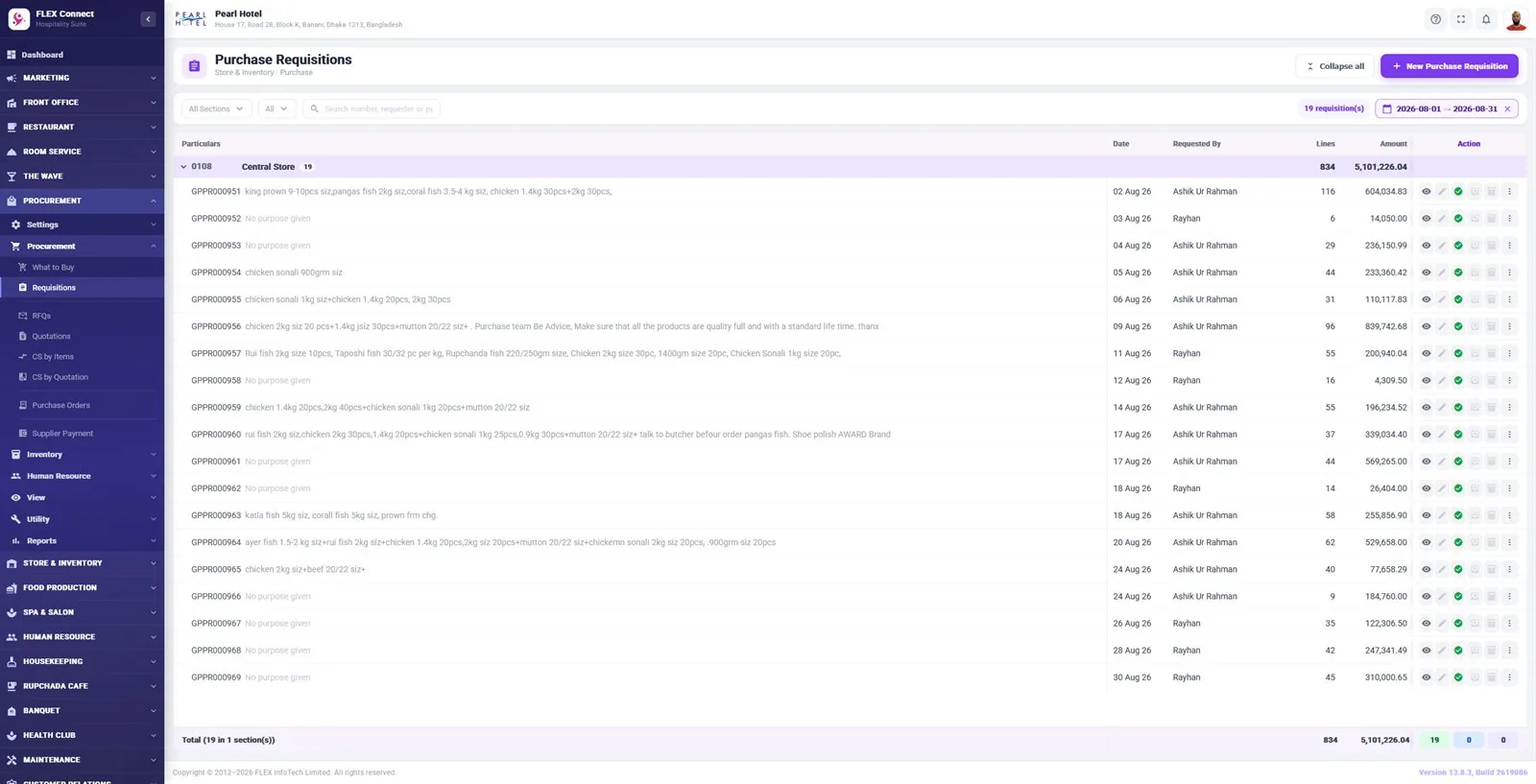
Buying starts from a What to Buy list and requisitions from the kitchen and bar. Send requests for quotation, compare supplier quotations by item or by quotation, and raise purchase orders that management approves, also from the mobile app (Android & iOS).
- What to Buy list and purchase requisitions
- Requests for quotation (RFQs) to suppliers
- Supplier quotations entry and quotation reports
- Comparative statements by item and by quotation
- Purchase orders and PO authorization
- Supplier payments and supplier ledgers
- Supplier and item master setup
- Procurement dashboard and reports suite
Why it matters: Every purchase is compared, approved and traceable, which keeps buying costs in check.
Store & Inventory
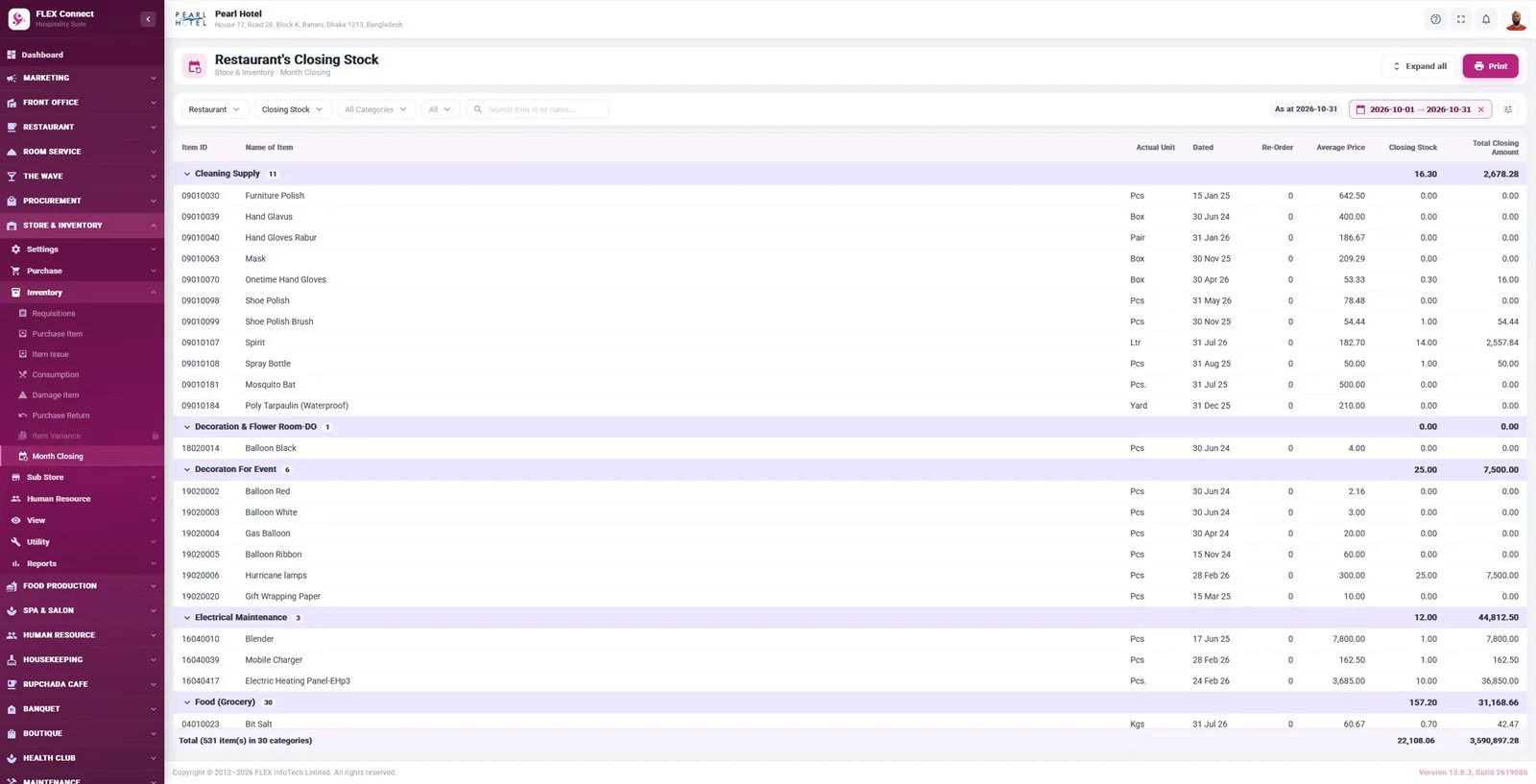
Receive purchases into the main store, issue ingredients and supplies to the kitchen and outlets against requisitions, and record consumption, damage and purchase returns. Sub stores run their own receive and closing cycle, and monthly stock closing shows what you hold and what it cost.
- Item groups, categories, units and item information
- Suppliers and supplier groups with supplier ledgers
- Purchase items, purchase returns and supplier payments
- Department requisitions and item issue
- Consumption and damage item recording
- Sub store receive, consumption and returns
- Monthly stock closing for main and sub stores
- Advance item analysis view
- Stock, itemised and statistics reports
Why it matters: You always know what is in stock, who took it and what it cost.
Food Production
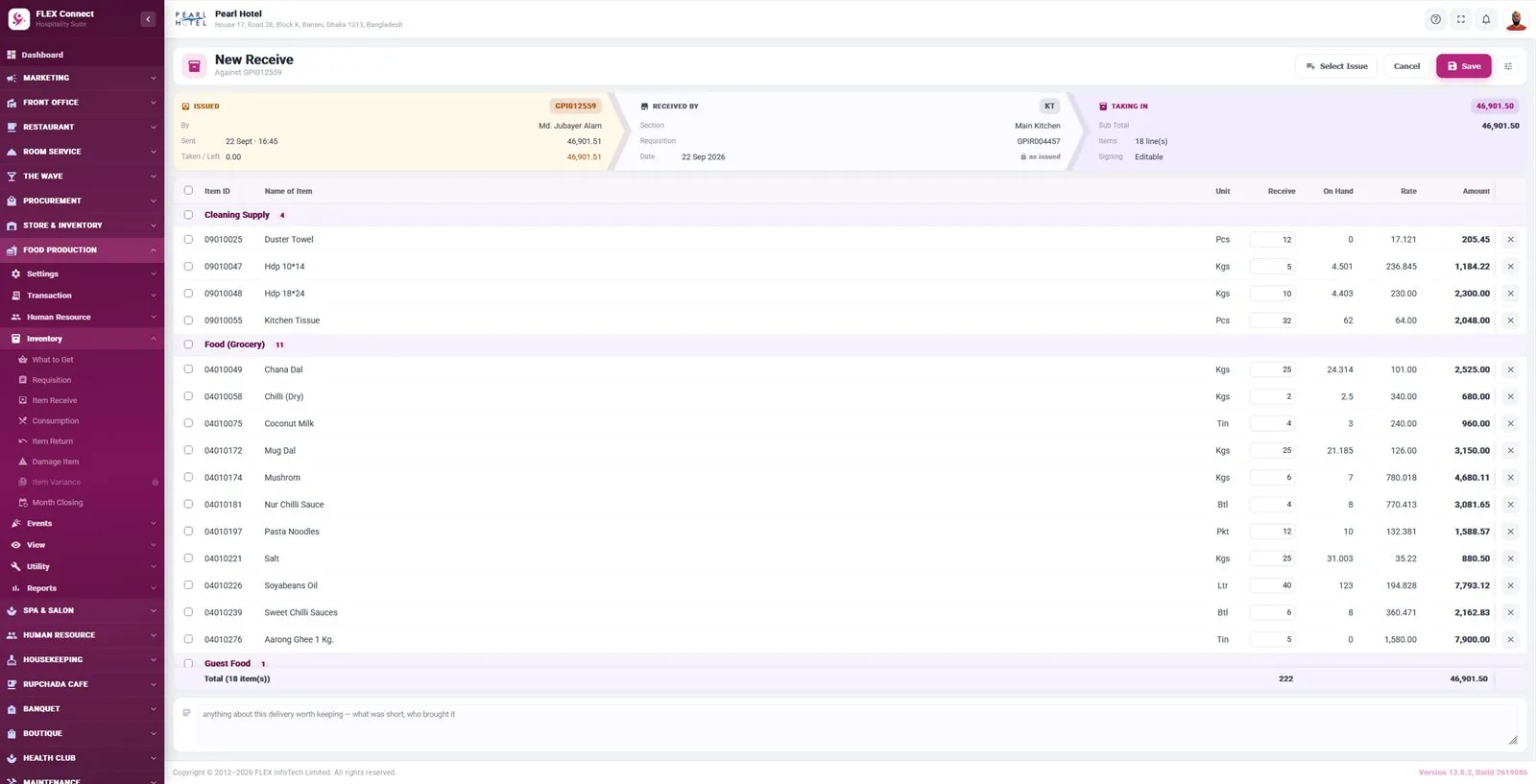
The kitchen gets its own workspace. Chefs raise requisitions to the main store, receive goods, record consumption, returns and damage, and close the kitchen’s stock each month. Table bookings, events and banquet quotations are shared with the kitchen, so it knows what is coming before it arrives.
- Kitchen requisitions to the main store
- Item receive, consumption and item returns
- Damage item recording
- Monthly kitchen stock closing
- Table bookings and events calendar
- Banquet quotations shared with the kitchen
Why it matters: Kitchen stock movements are recorded in the same system as purchasing and sales, giving a clear view of what the kitchen uses.
Accounts
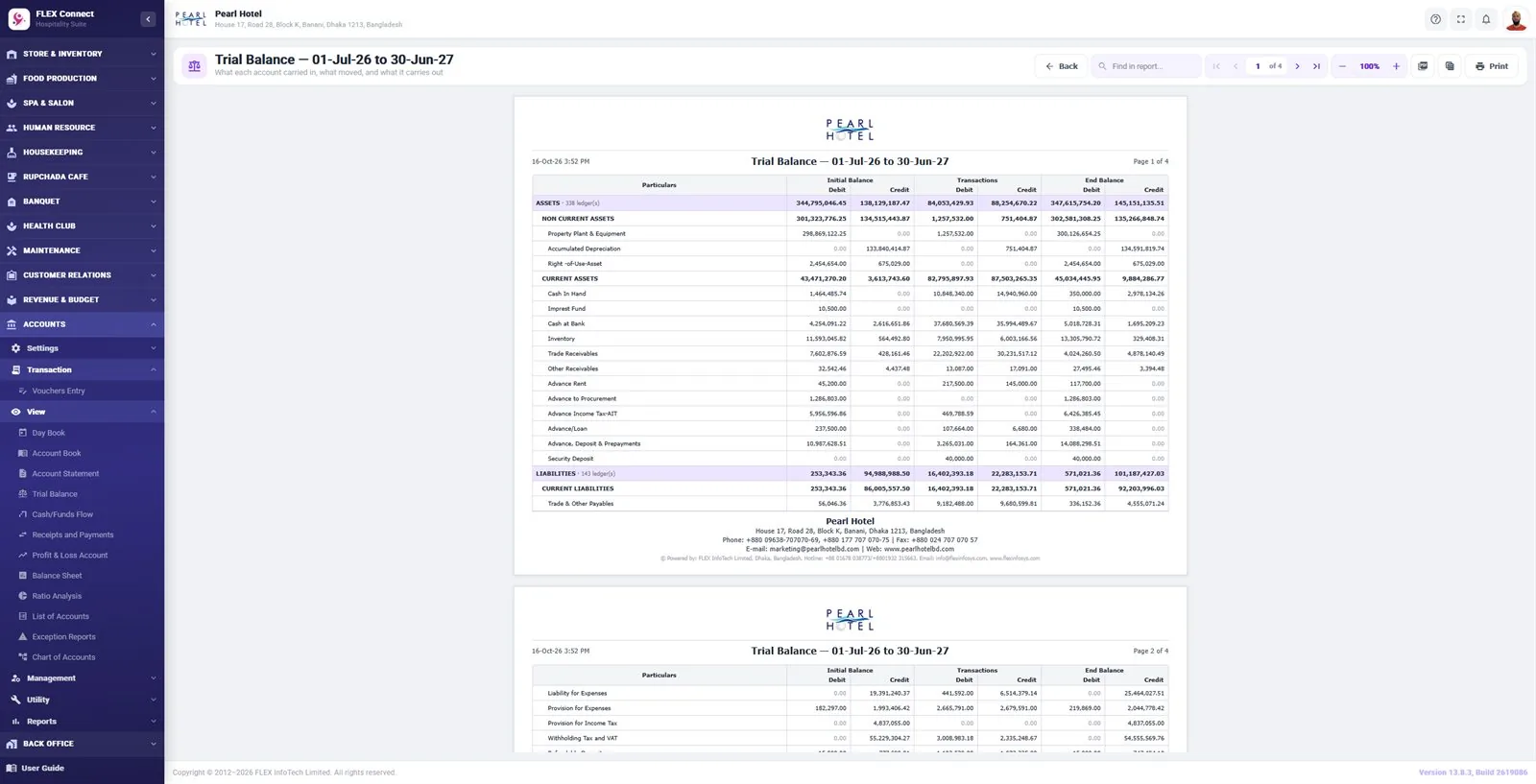
Keep the books in the same system that takes the orders. A chart of accounts, ledgers, cost centers and vouchers feed the day book, trial balance, profit & loss and balance sheet, with bank reconciliation, month closing and financial year closing.
- Chart of accounts, groups, ledgers and voucher types
- Cost categories and cost centers
- Voucher entry and opening entries
- Day book, account book and account statements
- Trial balance, profit & loss and balance sheet
- Cash/funds flow, receipts & payments and ratio analysis
- Bank reconciliation and budget planning
- Depreciation setup and run
- Month closing and financial year closing
Why it matters: Finance closes the month from the same data operations used, with less re-entry and fewer surprises.
Restaurant POS software in Bangladesh and Bhutan
FLEX POS is built and supported by FLEX InfoTech Limited, a software company that has worked with hotels, resorts and restaurants since 2012, with offices in Dhaka and Thimphu. More than 130 hotels and resorts run on FLEX software, and FLEX POS brings the same restaurant, purchasing, inventory and accounting modules to standalone restaurants, cafés, lounges and bars.
Instead of a billing till plus separate spreadsheets for stock and accounts, FLEX POS keeps table orders, kitchen order tickets (KOT), restaurant billing with VAT and service charge, supplier purchasing, restaurant inventory management for the store and kitchen, and restaurant accounting in one restaurant management system. Owners and managers can check sales, stock and accounts from the browser or the mobile app (Android & iOS), wherever they are.
Built for
- Restaurants, cafés, coffee shops, lounges and bars
- Restaurant groups and hotels with more than one outlet, each with its own menu, cashier shift and stock
- Owners who want sales, stock and accounts from the browser or the mobile app (Android & iOS)
- Kitchens and stores that need requisitions, receiving and monthly stock closing
Start small, add modules later
Add other FLEX products on the same data whenever you are ready, or move up to FLEX Connect, our full hotel management system.
FLEX POS questions, answered
See FLEX POS with your own data
Book a free demo and we’ll show you restaurant & café pos working on your own workflow.
