Dhaka ·
  Thimphu ·
  Vancouver · Since 2012
Interest in property management software in Bangladesh is growing as more families and companies hold rental flats, shops and offices across several buildings. In Dhaka, Chattogram and other cities, it is common for one owner to manage dozens of units, with rent collected in cash, by bank transfer or through mobile money, and records kept in a notebook or a spreadsheet maintained by a caretaker or manager.
That approach works for one building. It becomes difficult when you have several properties, several staff and tenants who move in and out every year. This guide explains what a rental management system should do for a Bangladeshi landlord or rental business, and how Tenova, the rental property management app from FLEX InfoTech, approaches each part of the job.
The everyday problems of managing rentals in Bangladesh
Most rental owners in Bangladesh do not have a dedicated property team. A family member, a manager or a building caretaker keeps track of who lives where, who has paid, who is late and which flat needs plumbing work. Information sits in different places and often in one person's memory.
As the portfolio grows, small gaps become expensive. A lease expiry is missed and rent stays at the old rate. An advance is recorded on paper and later disputed. A repair request is made by phone and forgotten. The owner sees the total at the end of the month but cannot easily see which unit or building is underperforming.
- Rent and advance payments recorded in notebooks or on scattered spreadsheets
- No single view of vacant, occupied and under-maintenance units
- Lease end dates tracked from memory
- Repair and complaint requests lost between tenant, caretaker and owner
- Monthly accounts that take days to prepare for the owner or accountant
What property management software in Bangladesh should include
Before choosing a system, list the jobs you actually do every month. For most Bangladeshi landlords, the core needs are the same, whether the portfolio is a single apartment building or a set of commercial units in different areas.
- Branches, properties and units, with occupancy status at a glance
- Tenant records and lease contracts with rent amount, term and expiry
- Periodic rent generation across all active leases
- Recording of rent and deposit payments with method and account
- Pending and overdue tracking so follow-up is not left to memory
- Maintenance and complaint handling with clear assignment
- Reports the owner and accountant can actually use
Organising branches, properties and units
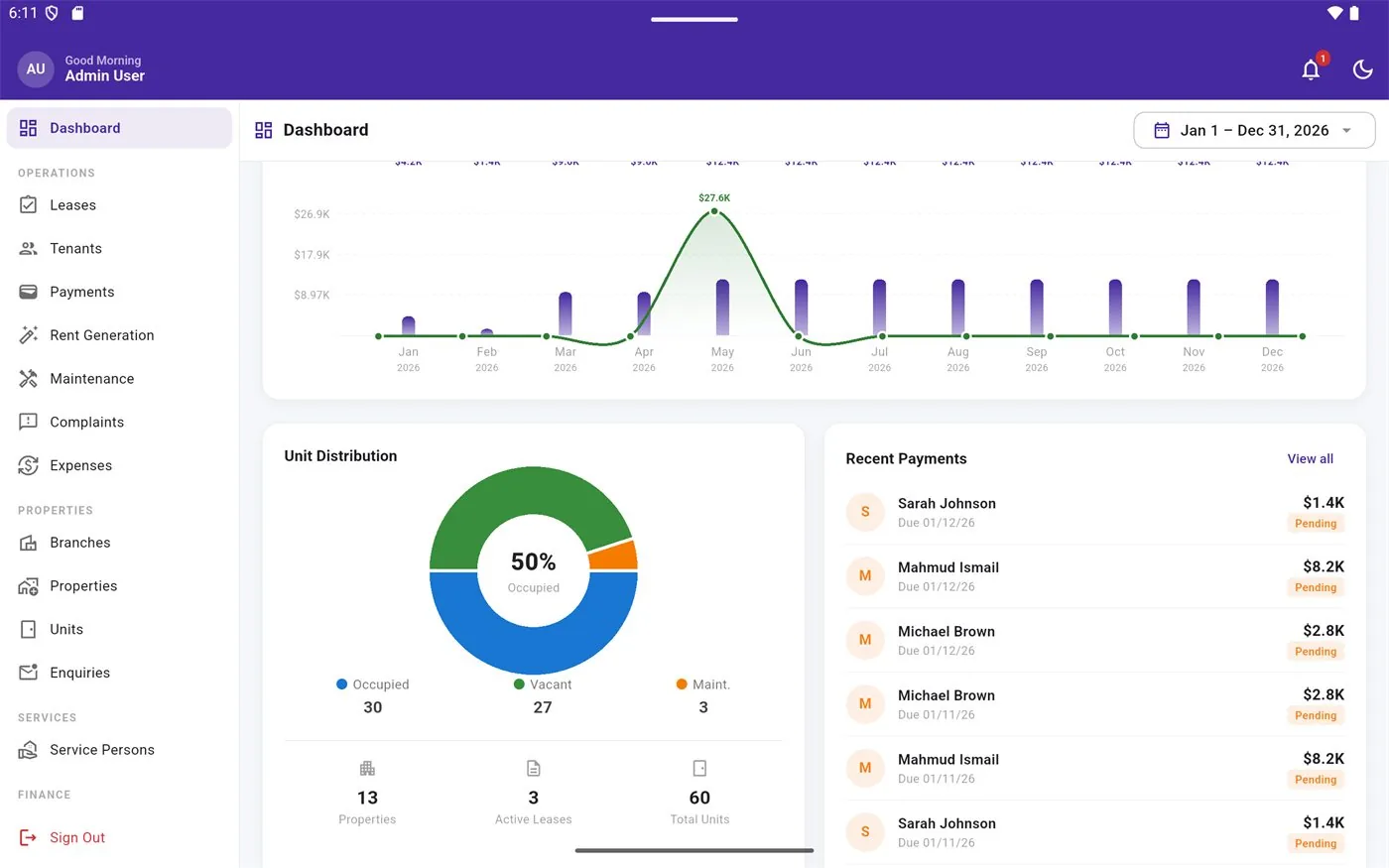
Tenova is built for multi-branch rental businesses. You set up branches, add the properties under each one and then add the units inside each property. Every unit carries its own details and an occupancy status, so the dashboard can show which units are vacant, occupied or under maintenance.
This structure suits Bangladeshi owners who hold buildings in different parts of a city, or companies that run rentals in more than one city. Managers can work within their branch while the owner sees the whole portfolio.
Tenants, leases, rent and deposits
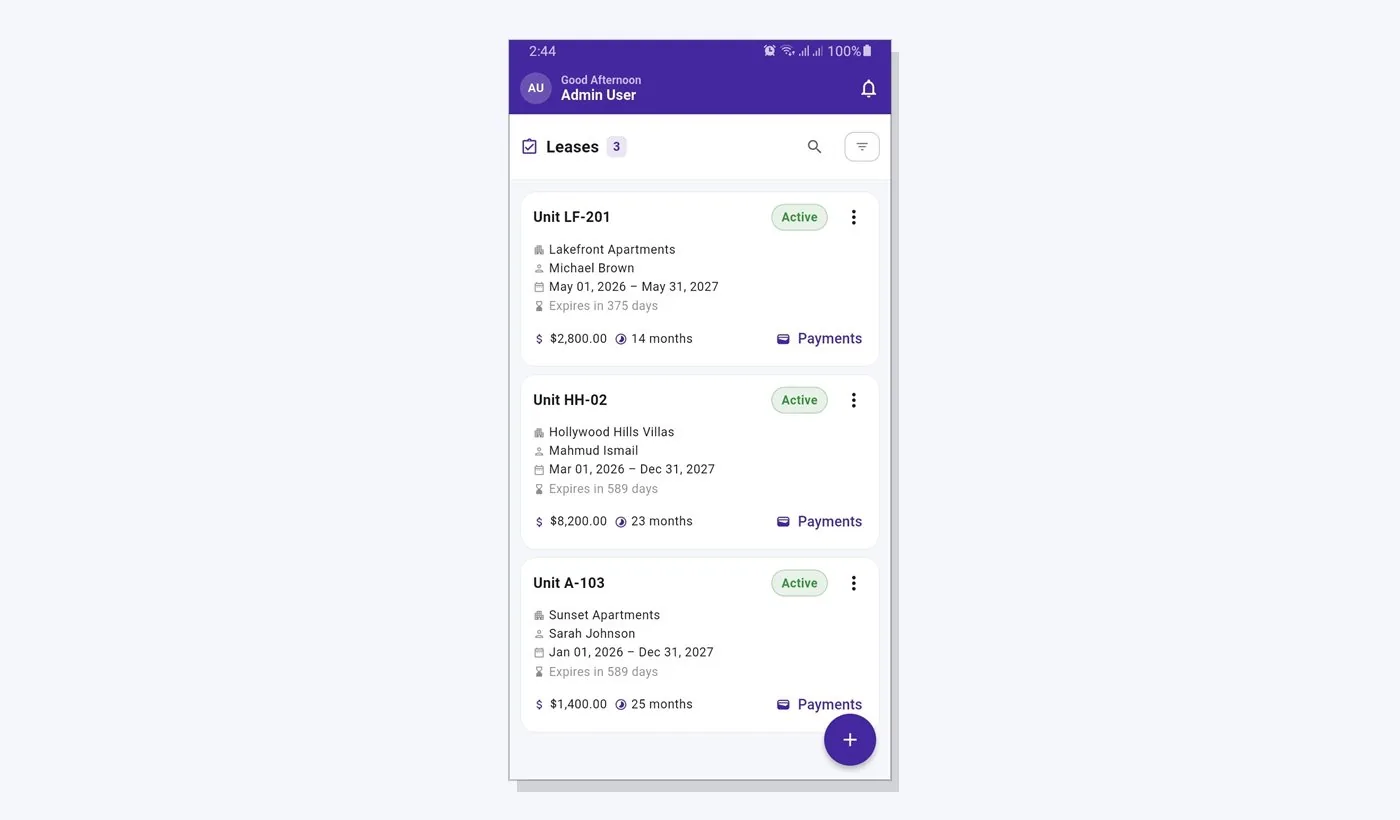
Each tenant has a record linked to a lease that holds the terms, rent amount and duration, with an expiry countdown so renewals are discussed in time rather than after the date has passed. When the month begins, rent charges can be previewed and generated across all active leases in one step, with a history of each generation run.
Payments are recorded against those charges, including security deposits and advances. You can note the payment method and account, for example cash, bank transfer or a mobile money wallet, and the system keeps track of what is pending and overdue. Tenova does not collect money online through a payment gateway; it gives you an accurate record of what has been received and what is still due.
Maintenance, complaints and building security
Tenants can sign in to view their lease and raise complaints or maintenance requests with photos. Managers assign the work to a service person and track it until it is resolved, so the owner can see open issues by property instead of relying on phone calls.
Many residential and commercial buildings in Bangladesh employ guards and keep a gate register. The app includes a security and visitor log for each property, covering guards, visitors, deliveries, vehicles, service visits and incident records.
Reports, roles and getting started
The reporting suite includes a rent roll, profit and loss, owner, tenant and lease statements, tax preparation support and more, with PDF output and CSV export on the web. Access is controlled through admin, manager, staff and tenant roles, so caretakers and managers only see what they need.
Tenova runs on the web at tenovahub.com and as an Android app, on one shared backend. Free, Basic and Pro plans with different usage limits mean a small landlord can start without a large commitment and move up as the portfolio grows.
- Start with one branch or building and enter units and current tenants
- Add active leases with their rent amounts and end dates
- Enter outstanding dues and deposits as opening balances
- Generate the next month's rent and record payments as they arrive
Frequently asked questions
Can I collect rent online from tenants through the app?
Not at present. Tenova does not include an online payment gateway. Tenants pay in the usual ways, such as cash, bank transfer or mobile money, and the landlord or manager records each payment in the system against the tenant's rent charge. This keeps a clear record of paid, pending and overdue amounts across all properties.
Is the software suitable for a single building?
Yes. A landlord with one building can set up a single branch and property and start recording units, tenants, leases and payments. The free plan has usage limits suited to small portfolios, and the multi-branch structure is there when the owner adds more buildings later or hands work to a manager.
Can tenants use the app themselves?
Yes. Tenants can sign in with their own tenant role to view their lease details and raise complaints or maintenance requests, including photos. They do not see other tenants' information. Managers then assign the request to a service person and track it until it is resolved.
Which devices does the app work on?
Tenova works in a web browser at tenovahub.com and through an Android app available on Google Play. Both use the same backend, so a manager can record a payment on a phone at the property and the owner can review reports on a laptop at home or in the office.