Dhaka ·
  Thimphu ·
  Vancouver · Since 2012
A house rent management app in Bhutan can save building owners a great deal of time and many awkward conversations. In Thimphu, Paro, Phuentsholing and other growing towns, many families own a traditional-style building with several flats above a ground-floor shop, or a few rental units built alongside the family home. Records are often a notebook, a folder of signed agreements and a list of phone numbers, with the rent schedule kept largely in the owner's head.
That approach holds up until something changes: the owner travels, a family member takes over collection, a tenant disputes how much security deposit was paid, or an agreement quietly runs past its end date. This guide looks at the everyday work of renting out flats in Bhutan and how Tenova, the rental property management app built by FLEX InfoTech, keeps flats, tenants, leases and rent in Nu organised in one place.
How renting flats in Bhutan usually works
Most landlords in Bhutan are not property companies. They are families, civil servants or business owners with one or two buildings, renting flats to government employees, private sector staff, students and families who have moved to town for work. Some also rent ground-floor space to shops, small offices or restaurants.
Rent is usually due monthly in Ngultrum, a security deposit is taken at move-in, and payment arrives in cash, by bank transfer or through mobile banking. Agreements are often renewed year by year. None of this is complicated on its own, but once you have six, ten or twenty units, small gaps in the record start to cost money and goodwill.
Keep every flat and tenant in one record
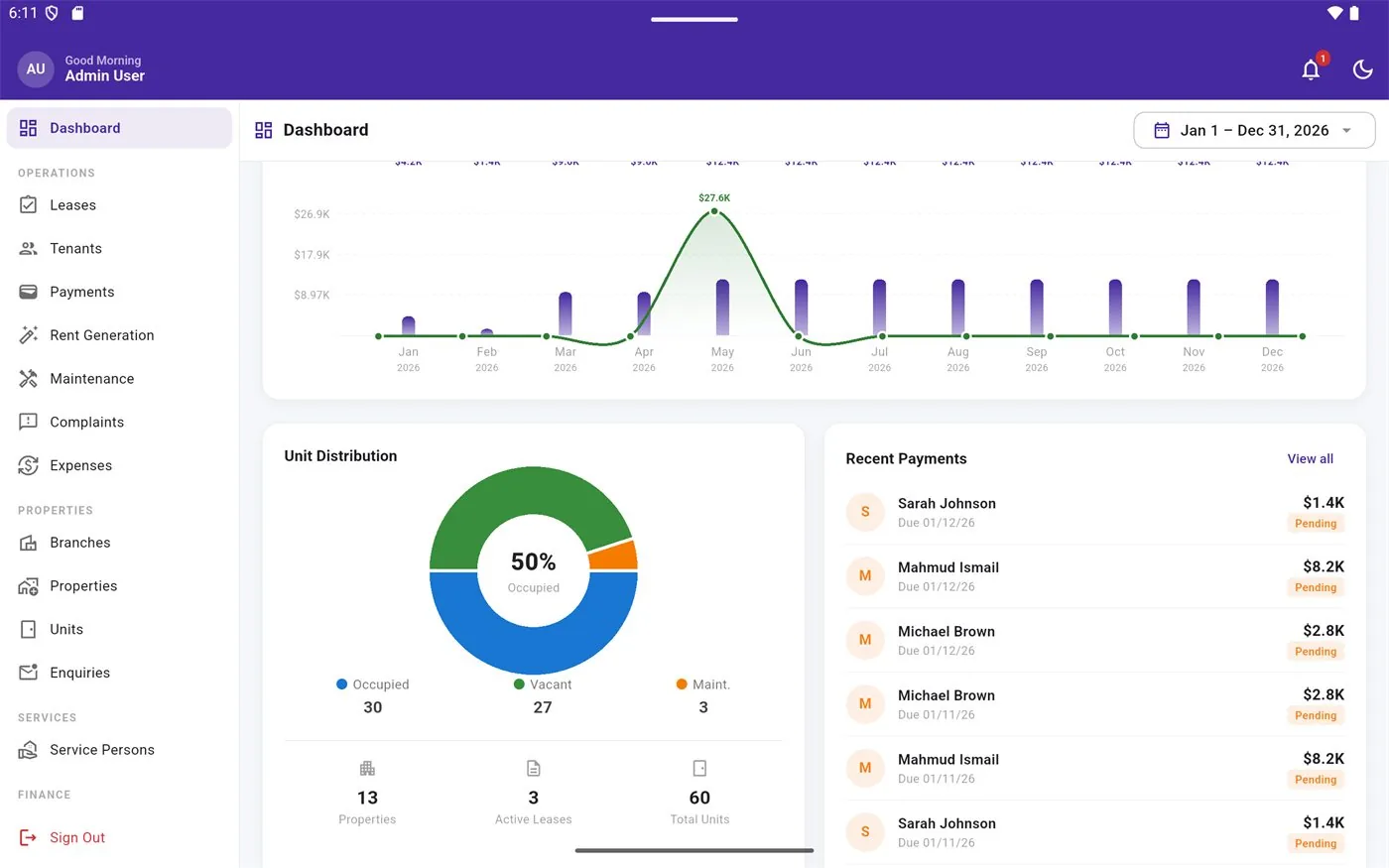
The first step is a clear picture of what you own. The app organises your portfolio as properties and units, and shows each unit as vacant, occupied or under maintenance. A landlord with buildings in both Thimphu and Paro can see at a glance which flats are let, which are empty and which need work before the next tenant arrives.
Each tenant has a profile linked to the unit they occupy, so contact details and history are not scattered across phone contacts and paper files. When a family member or caretaker helps run the building, they work from the same record instead of asking the owner every time.
Leases, deposits and renewals without surprises
Disputes in rented flats usually come back to the original agreement: the monthly rent, the deposit, the start date and how long the term runs. When these details live only on paper, they are easy to misplace and hard to check quickly.
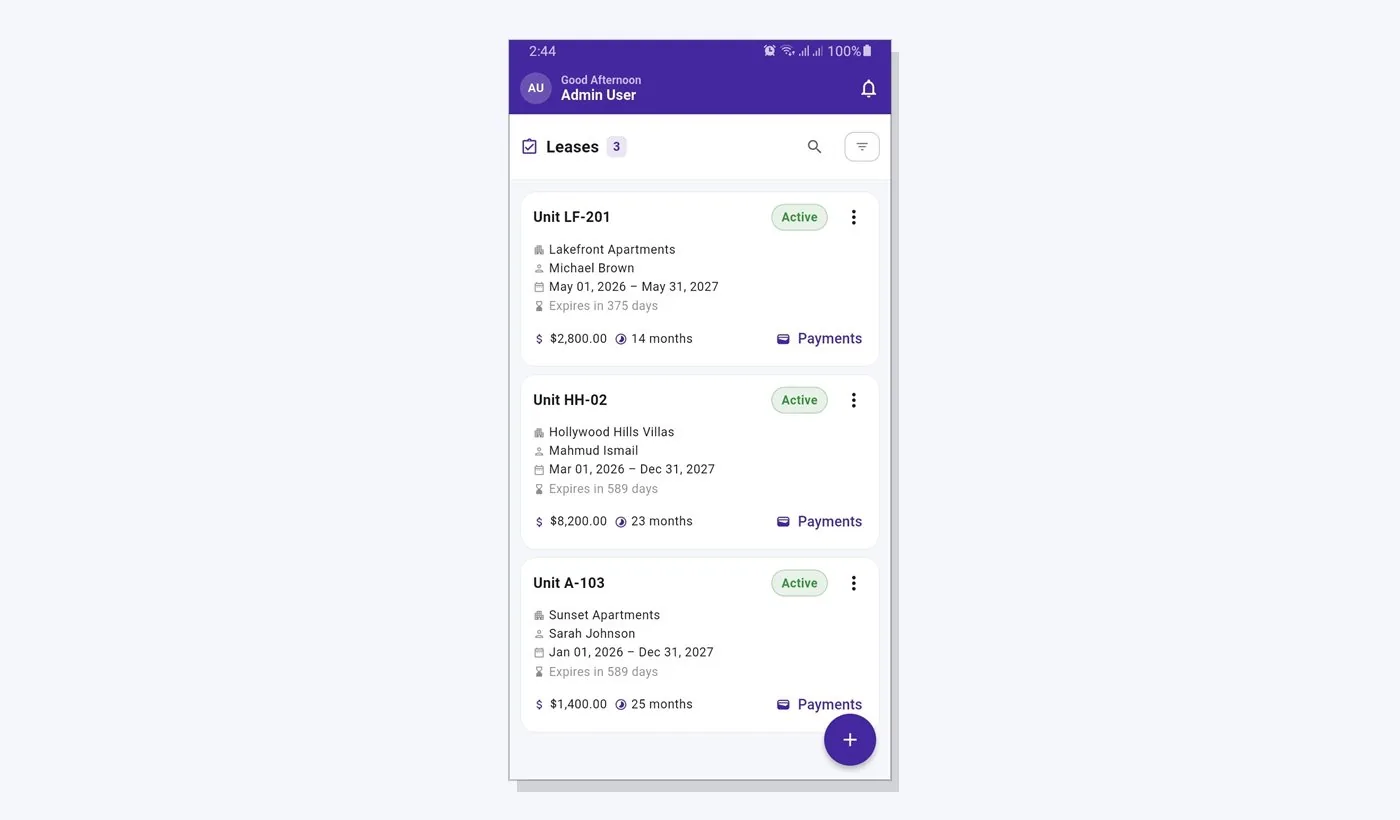
In the app, each lease records the unit, tenant, rent amount, duration and terms. An expiry countdown shows how many days remain, so you can start the renewal conversation, discuss any change in rent or plan for a vacancy well before the date arrives rather than after it has passed.
- Record the agreed monthly rent in Nu and the lease duration
- Record the security deposit received at move-in
- Watch expiry countdowns to plan renewals in advance
- Keep past leases for reference when a flat is re-let
What a house rent management app in Bhutan should do each month
Monthly rent collection is where most landlords lose track. Tenants pay on different days and by different methods, and partial payments are common. A good system should turn this into a short routine rather than a memory test.
The app lets you preview and generate rent charges for all active leases in one step, and keeps a history of each generation run. As payments arrive, you record them against the right tenant with the method used, such as cash or bank transfer. It does not process payments itself; it is a record of what was charged and what was received. The pending and overdue view then shows exactly who still owes rent, so follow-up calls are based on facts.
Repairs and complaints that do not get forgotten
Water supply problems, leaking roofs during the monsoon, heating issues in winter and electrical faults are part of running any rental building. Requests often arrive as a phone call to whichever family member the tenant knows, and there is no record of when the issue was raised or fixed.
Tenants can sign in to view their lease and raise a complaint or maintenance request, with photos. The owner or manager assigns the job to a service person, such as a plumber or electrician, and tracks it until it is resolved. Over time, that history shows which units need recurring attention.
Statements and reports for owners
At the end of the month or the year, owners want simple answers: how much rent was due, how much came in, what is still outstanding and what was spent on the building. Tenova includes a set of financial and operational reports, including a rent roll, profit and loss, and owner, tenant and lease statements, which can be exported or shared as PDFs.
A tenant statement is especially useful when someone moves out and the deposit needs to be settled, because both sides can see the full payment history.
Getting started with Tenova in Bhutan
Tenova is available as an Android app on Google Play and as a web app at tenovahub.com, working from the same data. Start by adding one building, its units and current tenants, then enter active leases and run your first monthly rent generation. Free, Basic and Pro plans are offered with different usage limits, so a small landlord can begin modestly and grow.
FLEX InfoTech has been building software since 2012, with its head office in Dhaka and an office in Thimphu, so support is close at hand for landlords in Bhutan.
Frequently asked questions
Can I record rent in Ngultrum with Tenova?
Yes. Rent amounts, deposits and payments are recorded against each lease, so a landlord in Bhutan can work in Nu throughout. Each payment is recorded with its method, such as cash or bank transfer. The app keeps the record of rent charged and received; it does not collect money or connect to a payment gateway, so the tenant still pays you directly as usual.
Is a house rent management app useful if I only own one building?
Yes. Even a single building with five or six flats generates a steady stream of leases, renewals, monthly payments and repair requests. Keeping them in one app means nothing depends on memory, and another family member can step in when needed. There is a Free plan alongside Basic and Pro, so you can start small and upgrade only if your portfolio grows.
Can my tenants use the app too?
Tenants can sign in to view their own lease details and raise complaints or maintenance requests, including photos of the problem. This gives both sides a written record of what was reported and when. Owners, managers and staff have separate access levels, so tenants only see information that relates to their own tenancy and never another tenant's details.
Does Tenova work on both phone and computer?
Yes. It is available as an Android app on Google Play and as a web app at tenovahub.com. Both connect to the same account and data, so you can record a cash payment on your phone while visiting the building in Paro, then review reports and statements on a computer at home in Thimphu later the same day.