Dhaka ·
  Thimphu ·
  Vancouver · Since 2012
A hotel booking engine in Bangladesh lets guests book and pay on your own website instead of through a third party. For a resort in Cox's Bazar, a business hotel in Dhaka or a tea-country property near Sylhet, that means more of each booking stays with the hotel, and you own the relationship with the guest from the first click.
This guide explains what a good booking engine should do, how online payment works for Bangladeshi properties, how to avoid double bookings, and how to persuade more guests to book direct. It also shows how the booking engine in FLEX Connect fits into the rest of the hotel.
Why direct bookings matter for Bangladeshi hotels
Online travel agencies are useful for reaching new guests, but every booking they bring carries a commission, and the guest's contact details often stay with the agency. Corporate travellers, families travelling for Eid holidays and weekend visitors who already know your property can book directly if you make it easy.
Direct bookings also give you better information. You know where the guest came from, what they paid and how they found you, and you can welcome them back with an offer next season. Without a booking engine, those guests either call, message on Facebook or WhatsApp and wait for a reply, or go back to an agency.
What a good hotel booking engine in Bangladesh should do
Whichever system you choose, check that it covers the basics below. A booking form that only sends an email to reception is not a booking engine.
- Search live availability against the same rooms the front desk sells
- Show room categories with photographs and clear rates
- Let guests combine rooms, for example two Deluxe and one Family room
- Hold the chosen rooms while the guest pays, so no one else can take them
- Take online payment and confirm the booking only when payment succeeds
- Accept coupon codes for campaigns and repeat guests
- Give guests a way to see their booking, bills and receipts later
Taking payment online in Bangladesh
Payment is where many hotel websites fail. Guests in Bangladesh expect familiar local payment gateways, while foreign guests may want to pay by international card. The FLEX Connect booking engine can take payments through SSLCommerz, shurjoPay, aamarPay or Stripe. The property chooses its gateway on the Payment Gateway settings screen in the Back Office and can change it later without restarting anything.
Payment results are confirmed with the gateway itself before a booking is settled, and the guest is returned to the hotel's own thank-you or payment-failed page. That protects you from bookings that look paid but are not, and keeps the experience on your brand from start to finish.
Avoiding double bookings and re-typing
The biggest risk with a separate booking plugin is that it does not know what the front desk has sold. Staff then copy web bookings into the PMS by hand, and on a busy Thursday evening two guests end up with the same room.
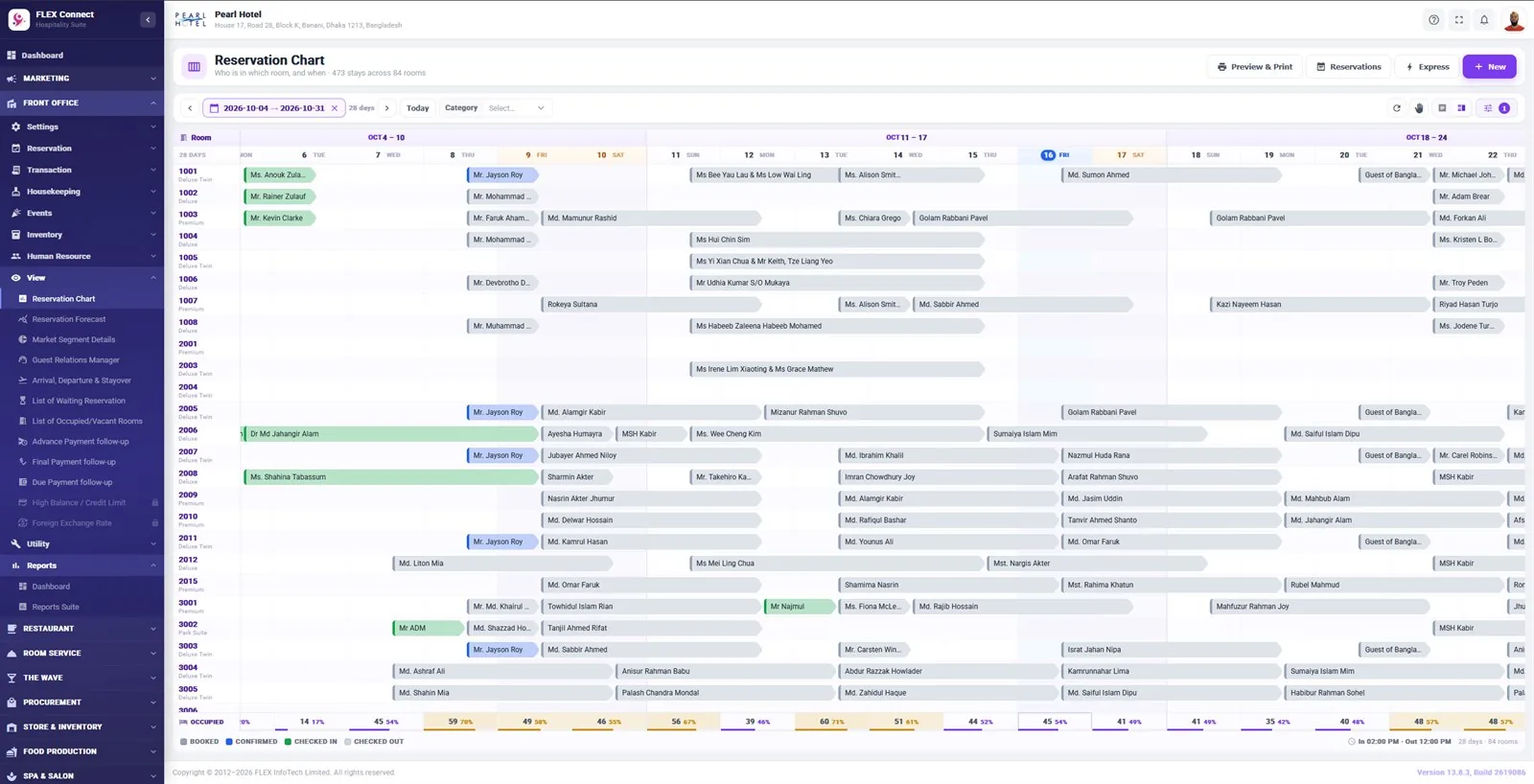
In FLEX Connect the booking engine searches availability against front office inventory, so the website and the front desk are always looking at the same rooms. Confirmed direct bookings land in the reservation chart with payment settled, with no re-typing. Room categories are marked for online sale individually, so you decide which rooms appear on the website and which are kept for walk-ins, corporate contracts or groups.
Giving guests a self-service portal
Guests increasingly expect to manage their own stays. The FLEX Connect guest portal lets them sign in with a one-time code sent by email, with no password to remember. Once signed in, they can see their stays, bills, payments and receipts, and cancel a stay if they need to. That saves reception from many routine calls and gives corporate guests the receipts their finance team asks for.
Setting up and promoting your booking engine
The booking widget is available as a WordPress plugin, so it can be added to many hotel websites without rebuilding them. Test the full journey on a phone before launch, since many guests in Bangladesh will book from a mobile. Once it is live, give guests a reason to use it:
- Put a clear Book Now button on every page of your website
- Link to the booking page from your Facebook page and WhatsApp replies
- Offer a coupon code to returning guests and newsletter subscribers
- Run seasonal codes for Eid, Pohela Boishakh and winter holidays
- Check rates on your website are never higher than elsewhere
- Track direct booking numbers each month in your sales reports
Frequently asked questions
Which payment gateways does the FLEX Connect booking engine support?
The booking engine can take payments through SSLCommerz, shurjoPay, aamarPay or Stripe. The property picks its gateway in the Back Office Payment Gateway settings and can change it later. Every payment result is confirmed with the gateway before the booking is settled, and the guest returns to the hotel's own thank-you or payment-failed page.
Will web bookings clash with front desk bookings?
Not with FLEX Connect. The booking engine checks availability against the same front office inventory the reception team uses, and it holds the guest's chosen rooms while they pay. Once the booking is confirmed it appears straight away in the reservation chart, so there is no copying between systems and no risk of selling the same room twice.
Does my website need to be rebuilt to add a booking engine?
Usually not. The FLEX Connect booking widget is available as a WordPress plugin, so most WordPress hotel websites can add it to an existing page. If your site runs on another platform, talk to the FLEX team about the best way to connect it, and note that FLEX InfoTech also builds hotel websites.
Can guests cancel or download receipts themselves?
Yes. Guests sign in to the guest portal with a one-time code sent to their email, then view their stays, bills, payments and receipts. They can also cancel a stay from the portal. This reduces routine calls to reception and gives corporate guests easy access to the receipts their accounts team needs.