Dhaka ·
 Thimphu ·
 Vancouver · Since 2012

Most convention halls and community centres in Dhaka still run on a booking diary, a phone full of WhatsApp messages and a spreadsheet the accountant keeps. It works on a quiet week. Then wedding season arrives, two families ask for the same hall on the same Friday, a quotation is sent with last year's menu price, and nobody can say who still owes money for last month's reception.
Convention hall booking software replaces the diary with one shared system: every hall on one calendar, quotations made from the same menus, bookings that move through clear statuses, and a function sheet the kitchen and service teams can work from. This guide explains what to look for, how to set it up and what to ask in a demo before choosing a system such as FLEX Events.
Why the booking diary stops working
A paper diary has one big weakness: it lives in one place and one person's handwriting. When the manager is out, sales staff cannot confirm a date. When a booking moves, the old entry is crossed out and the new one is squeezed in somewhere else. And the diary knows nothing about money, so the advance, the final bill and the amount still owing sit in a different book.
The result is familiar to every hall owner: double bookings, quotations that do not match the final bill, last-minute surprises for the kitchen and long evenings chasing dues. Booking software fixes this by making the booking itself the single record that sales, the kitchen and accounts all use.
- Two enquiries promised the same hall on the same date
- Quotations sent with old menu prices
- Guest numbers and menus changed by phone but not passed to the kitchen
- Advances and dues tracked in a separate book
- No quick answer to which hall earns the most
One calendar for every hall
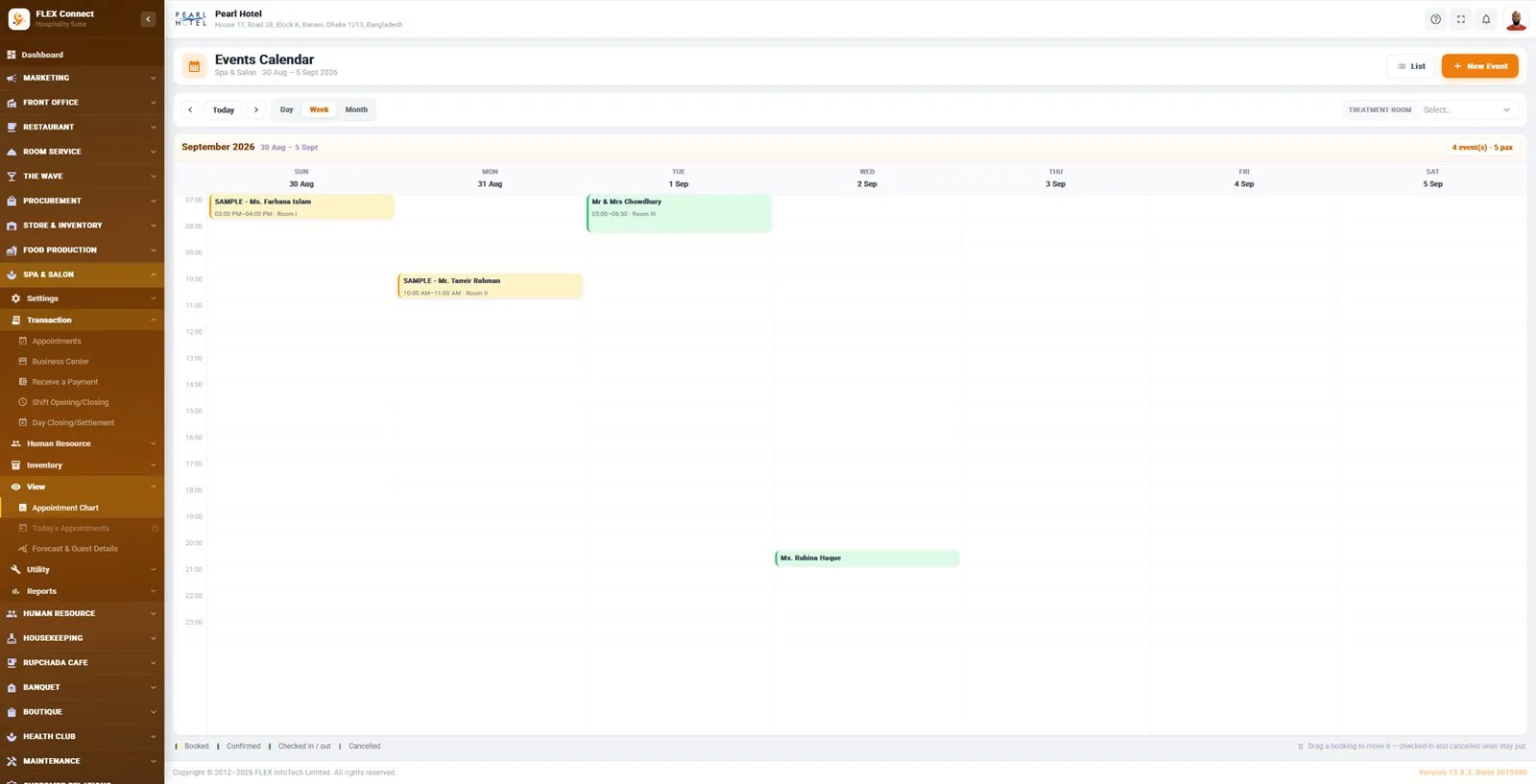
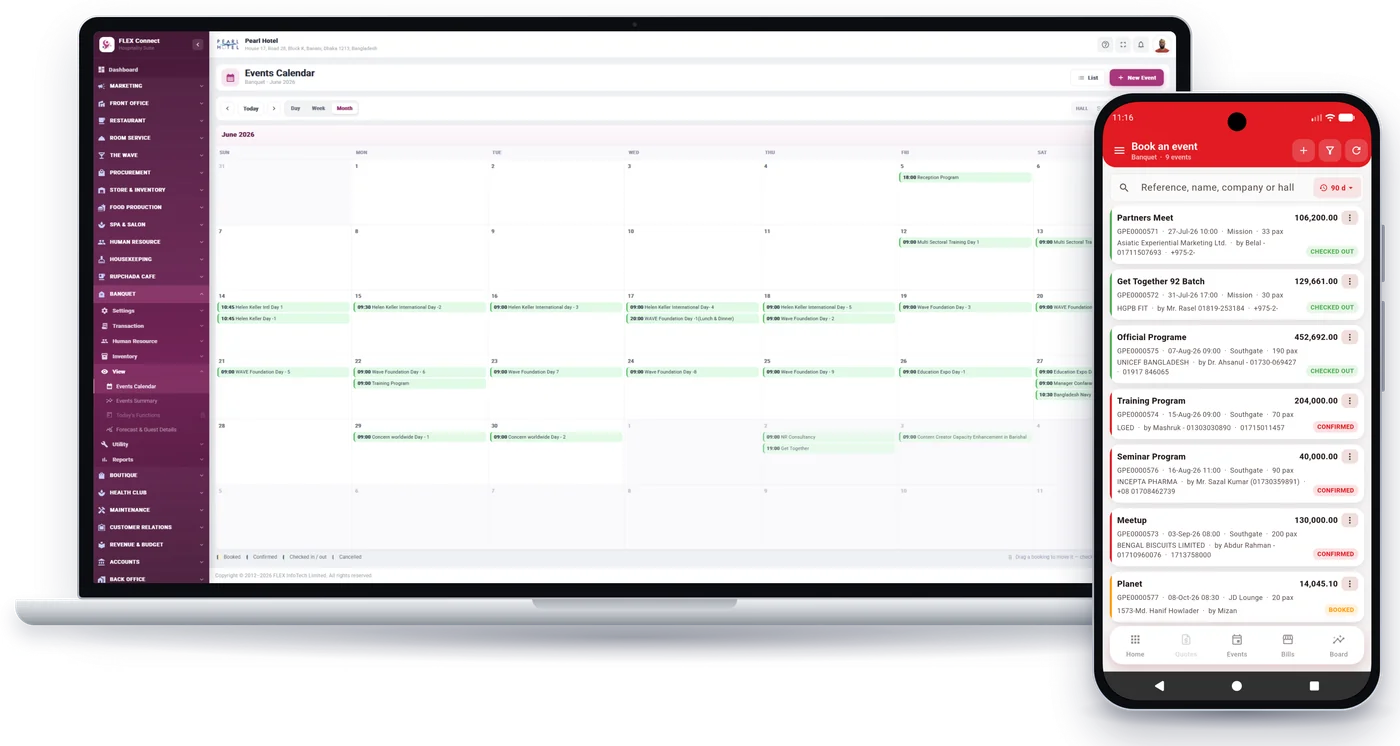
The heart of a hall booking system is the calendar. Sales staff should see at a glance which hall is taken on which day, by day, week or month, and filter by hall when a family asks only about the big one. In FLEX Events the events calendar also shows the number of events and guests for the period, and each booking is coloured by its status.
Plans change, especially for weddings. When a date moves, staff should drag the booking to the new day rather than delete and re-enter it. In FLEX Events a booking can be dragged to a new date, while checked-in and cancelled events stay where they are, so history is not rewritten by accident.
From enquiry to quotation to confirmed booking
A good routine follows the same steps every time. Set up each hall and its banquet menus once, so prices come from one place. When an enquiry comes in, prepare a quotation from those halls and menus and keep it in a quotation register, so you can see what was offered and to whom. When the customer accepts, turn the quotation into a booking instead of typing everything again.
Clear statuses then tell everyone where an event stands. In FLEX Events a booking moves from booked to confirmed, then checked in and checked out, or cancelled. Agree inside your team what each status means for you, for example that a hall is only confirmed once an advance is received, and write that rule down.
- Hall setup and banquet menus entered once
- Quotation prepared from those halls and menus
- Quotation register to follow up every offer
- Accepted quotation turned into a booking
- Status updated as the event moves: booked, confirmed, checked in, checked out or cancelled
Function sheets: telling the kitchen and service team what to do
Most problems on the event day start with information that never reached the people doing the work. The menu was changed, the guest count went up, or the family asked for a theatre layout instead of round tables. A function sheet, also called a banquet event order (BEO), puts all of this on one page.
In FLEX Events each event carries its special requirements, room layout and notice-board instructions, and prints as a function sheet for the kitchen and service teams. Print or share the latest version a day or two before the event, and again if anything changes, so nobody works from an old copy.
Billing, advances and dues
Hall owners lose money less often through bad events than through bills that were never fully collected. Every event should have its own bill, and every payment, from the first advance to the final settlement, should be recorded against it. FLEX Events records event bills and payments at the counter, and its business center view shows bills and amounts owing, so dues are visible without searching through receipt books.
At the end of each shift the cashier closes it, and at the end of the day the counter closes the day. That gives the owner one set of figures for each day. If you also want the books on the same data, the Accounts add-on keeps the chart of accounts, vouchers, trial balance, profit and loss and balance sheet together with your event income; see FLEX Accounts. For VAT and other tax questions on hall bookings, check the setup with your accountant before you go live.
Following up wedding and corporate enquiries
Many halls lose bookings simply because nobody called back. Wedding enquiries often come months ahead, and corporate customers compare several venues. Treat enquiries like a sales pipeline: every enquiry gets an owner, a next step and a follow-up date.
The Sales CRM add-on for FLEX Events covers leads, contacts and deals, fresh and repeat follow-ups, a My Today view of due work, tasks, and email and WhatsApp messages and templates, with the events calendar in view. Read more on FLEX CRM.
Reports a hall owner should read every month
Once bookings live in one system, the monthly review takes minutes instead of days. Look at how busy each hall was, which events are coming up and how much is still owed. FLEX Events includes an events summary, an event diary and hall usage reports, and banquet stock can be requisitioned, received and consumed so supplies used for events are tracked.
Use the hall usage report to decide where to spend: a hall that is busy every weekend may justify better lighting or décor, while a quiet one may need a weekday offer for meetings and seminars.
Questions to ask in every demo
Ask the vendor to show, not just tell, using one of your own recent events from enquiry to final payment.
- Can I see all my halls on one calendar by day, week and month?
- Can a quotation become a booking without re-typing it?
- What happens to a booking when I move it to another date?
- Does the function sheet show the layout and special requirements?
- Can I see every unpaid bill and amount owing in one place?
- Can sales staff book events and check bills from their phone?
- Can I add kitchen, store or accounts later on the same data?
- Is support available in Bangladesh, and at what hours?
Frequently asked questions
What is convention hall booking software?
It is software that keeps a venue's halls, quotations, bookings, function sheets and event bills in one place. Instead of a diary and spreadsheets, sales staff see one calendar showing which hall is booked on which day. FLEX Events is one example, built for convention halls, banquet halls and community centres.
Can it stop double bookings?
A shared calendar is the main defence. In FLEX Events the events calendar shows bookings by day, week or month, can be filtered by hall and colours each booking by status, so staff can see a hall is taken before they promise it.
Can sales staff book a hall from their phone?
Yes. With the FLEX Connect mobile app (Android & iOS), staff can book events, search by reference, name, company or hall, and check event bills.
Does it work for a community centre with only one or two halls?
Yes. Smaller venues often benefit most, because one or two people handle enquiries, bookings and money. FLEX Events is sold on its own, and you can add Food Production, Store & Inventory, Accounts or Sales CRM later on the same data.